-
Installed to the center of the rear console.
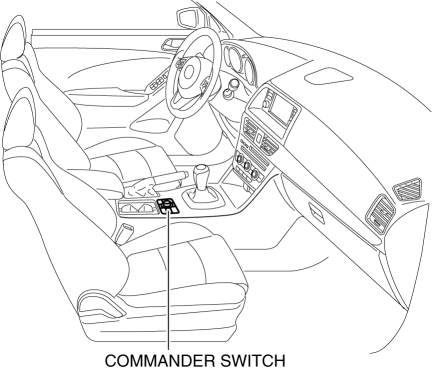
The audio unit can be operated without having to change the driving posture.
Installed to the center of the rear console.
The commander switch consists of the AUDIO button, NAV button, PHONE button, SETUP button, BACK button, and the commander knob.
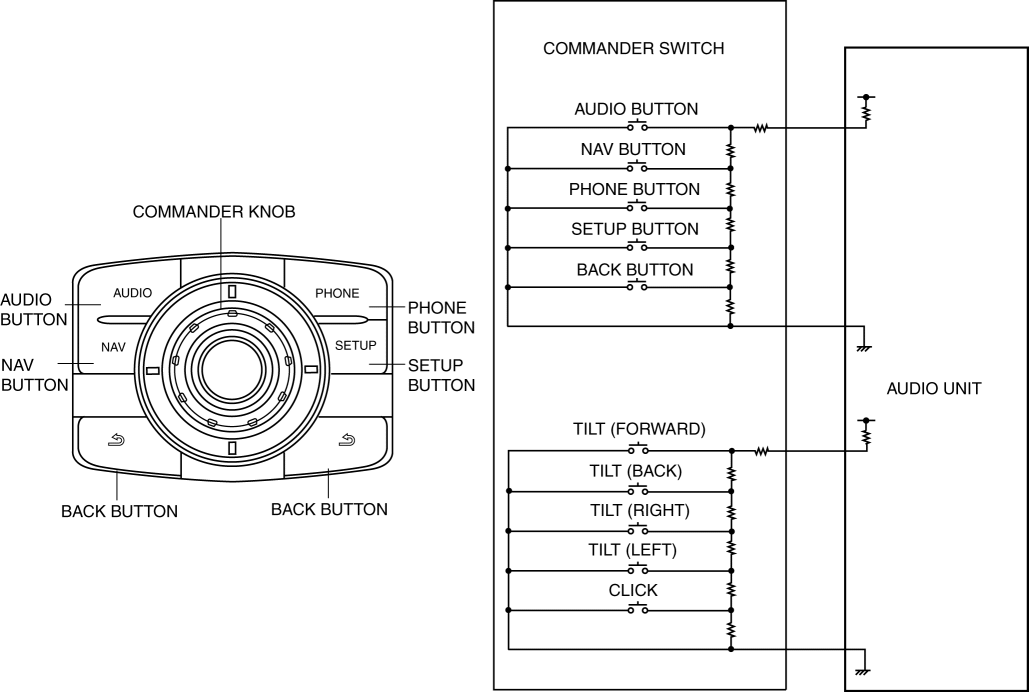
| Button name | Operation |
| AUDIO button | Switches to the audio screen. After changing to the audio screen, the display content does not change even if the button is pressed down again. |
| NAV button | Switches to the car navigation screen. After changing to the car navigation screen, the display content does not change even if the button is pressed down again. |
| PHONE button | Switches to the dial screen. After changing to the dial screen, the display content does not change even if the button is pressed down again. |
| SETUP button | Switches to the display screen. After changing to the display screen, the display content does not change even if the button is pressed down again. |
| BACK button |
|
| Commander knob (tilt*1) | Moves the focus (selection area) of the buttons on the screen. Tilting the knob moves the focus between the areas. Tilt in lateral direction for left/right transit; tilt in longitudinal direction for forward/back transit. |
| Commander knob (rotation) | Moves the focus (selection area) of the buttons on the screen. Rotating the knob moves the focus within an area. |
| Commander knob (click*2) | Selects the button on the screen which the focus is on. |
Function not equipped.